KindEditor设置网址绝对路径
KindEditor 4.1.2版本,在上传图片的时候 设置为绝对路径
被这个问题困扰了很久,最终搞定,竟然是如此之简单。 方法如下:
1、打开编辑器目录下的:kindeditor.js
2、修改:urlType : ”, 为:urlType : ‘domain’, OK,这样上传图片的时候就会以绝对路径保存了,是不是很简单。
KindEditor 4.1.2版本,在上传图片的时候 设置为绝对路径
被这个问题困扰了很久,最终搞定,竟然是如此之简单。 方法如下:
1、打开编辑器目录下的:kindeditor.js
2、修改:urlType : ”, 为:urlType : ‘domain’, OK,这样上传图片的时候就会以绝对路径保存了,是不是很简单。
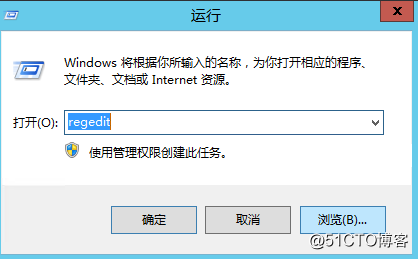
Window Server2012 修改远程桌面端口号Win + R 输入 regedit 打开注册表编辑器1、修改注册表项1HKEY_LOCAL_MACHINE/System/CurrentCont...

Win7查看系统信息:slmgr.vbs -xpr 键入:slmgr.vbs -ipk FJ82H-XT...
php图片上传不认"\"C:\Users\Administrator\Desktop\"只认C:/Users/Administrator\Desktop/...

王石:宁登一座山,不谋一餐饭。听王石讲人情堆里这些年的故事,也曾喝酒喝到胃出血,也曾“行贿未遂”,但还是愿意打造简单、透明、规范的商业王国。登珠峰与吃顿饭,二者孰难孰易?相信一...
第一步:设置国家第二步:设置语言第三部:设置上一步的同语系的关键词 如果没有第一步与第二步 会导致没有关键词提示!!!!...
<Script Language=JavaScript>function doChange(objText, objDrop){ if (!objDrop) return;&nb...
